Bitbucket Integration Pro Plugin Usage
This guide will walk you through the steps to install, configure and use the Bitbucket Integration Pro plugin for IntelliJ. This is a tool that enables the creation, and viewing of pull requests in Bitbucket without full credentials.
Installation
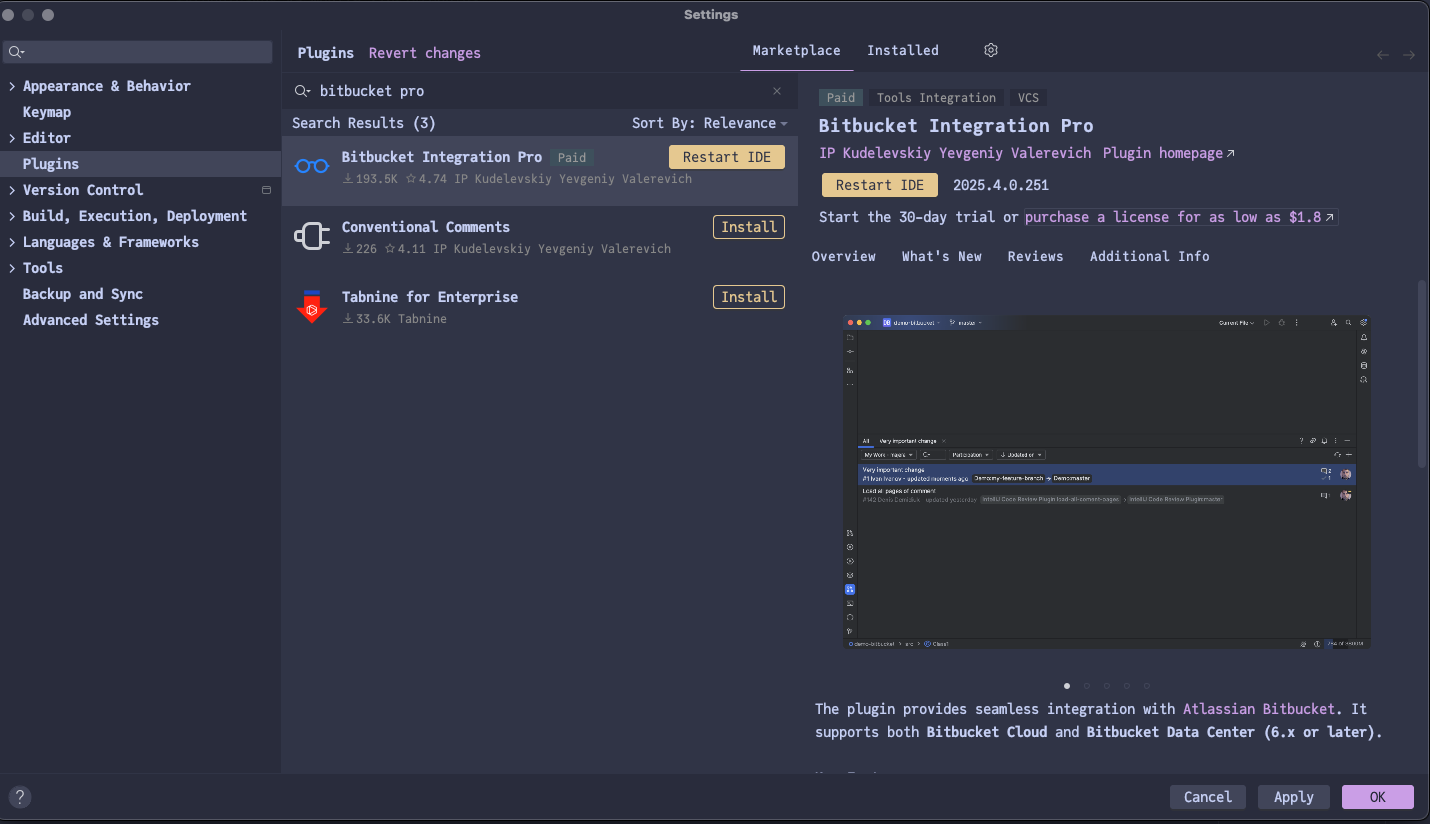
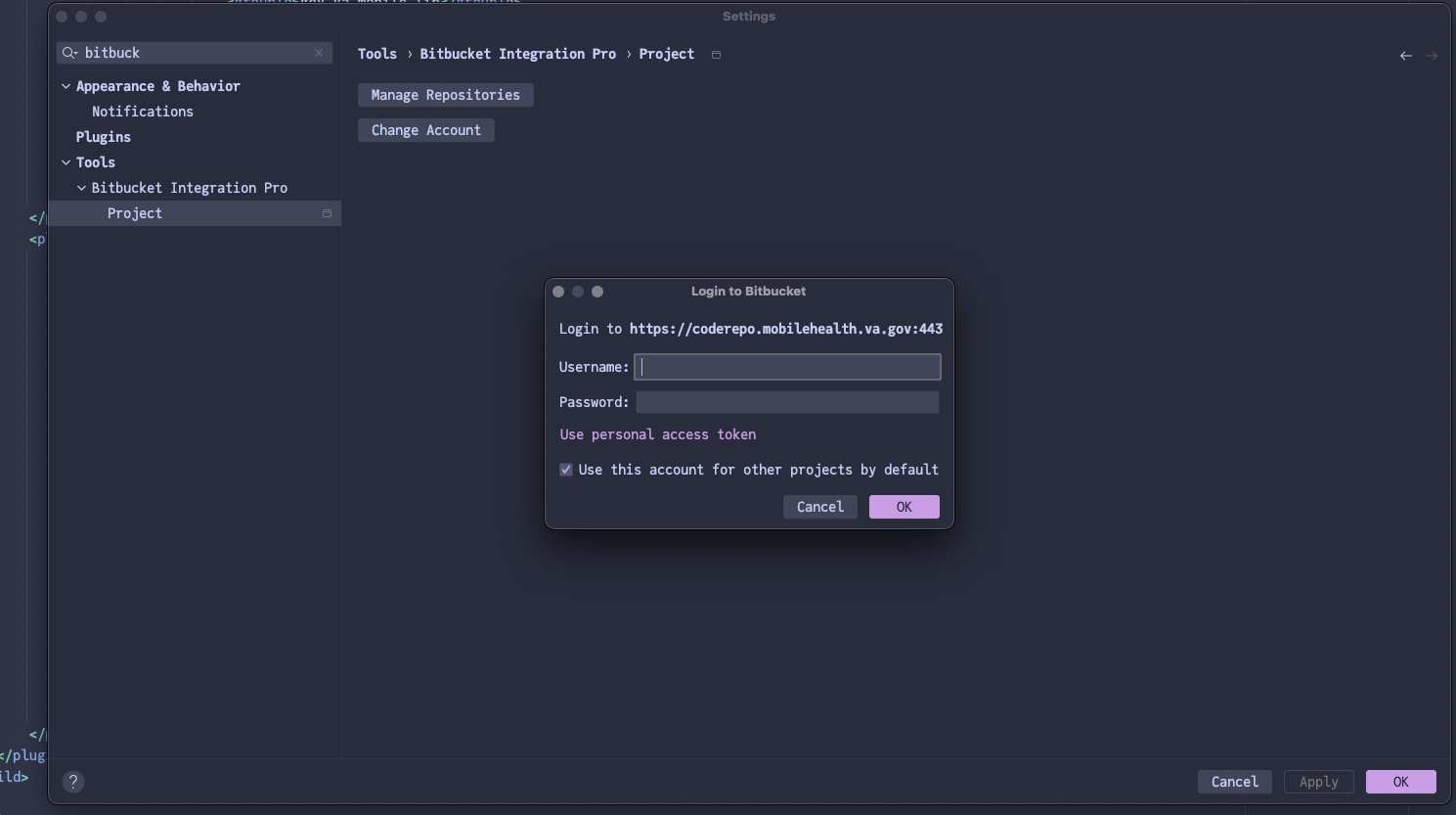
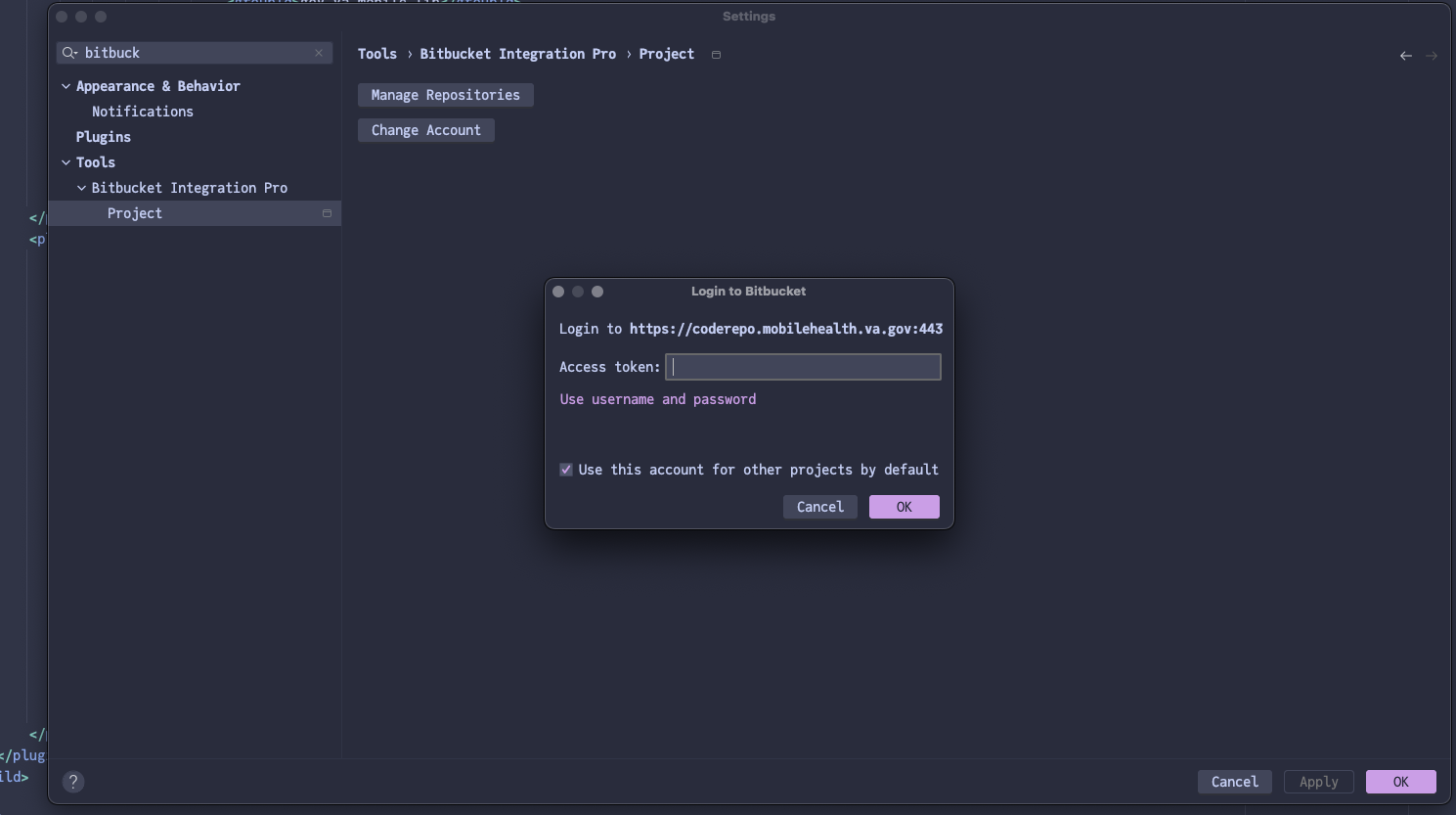
ngss-dev-setup.sh intellij (from the setup script) installs this plugin for you. You still need to add your access token (see Configuration).
|
-
Go to the IDE settings and choose "Plugins" item in the list
-
Click "Marketplace" button on the top
-
Type "bitbucket integration"
-
Choose the "Bitbucket Integration" plugin and click "Install". If it’s not shown, try to update the IDE to the latest version.
-
Restart the IDE