Bitbucket Integration Pro Plugin Usage
This guide will walk you through the steps to install, configure and use the Bitbucket Integration Pro plugin for IntelliJ. This is a tool that enables the creation, and viewing of pull requests in Bitbucket without full credentials.
Installation
-
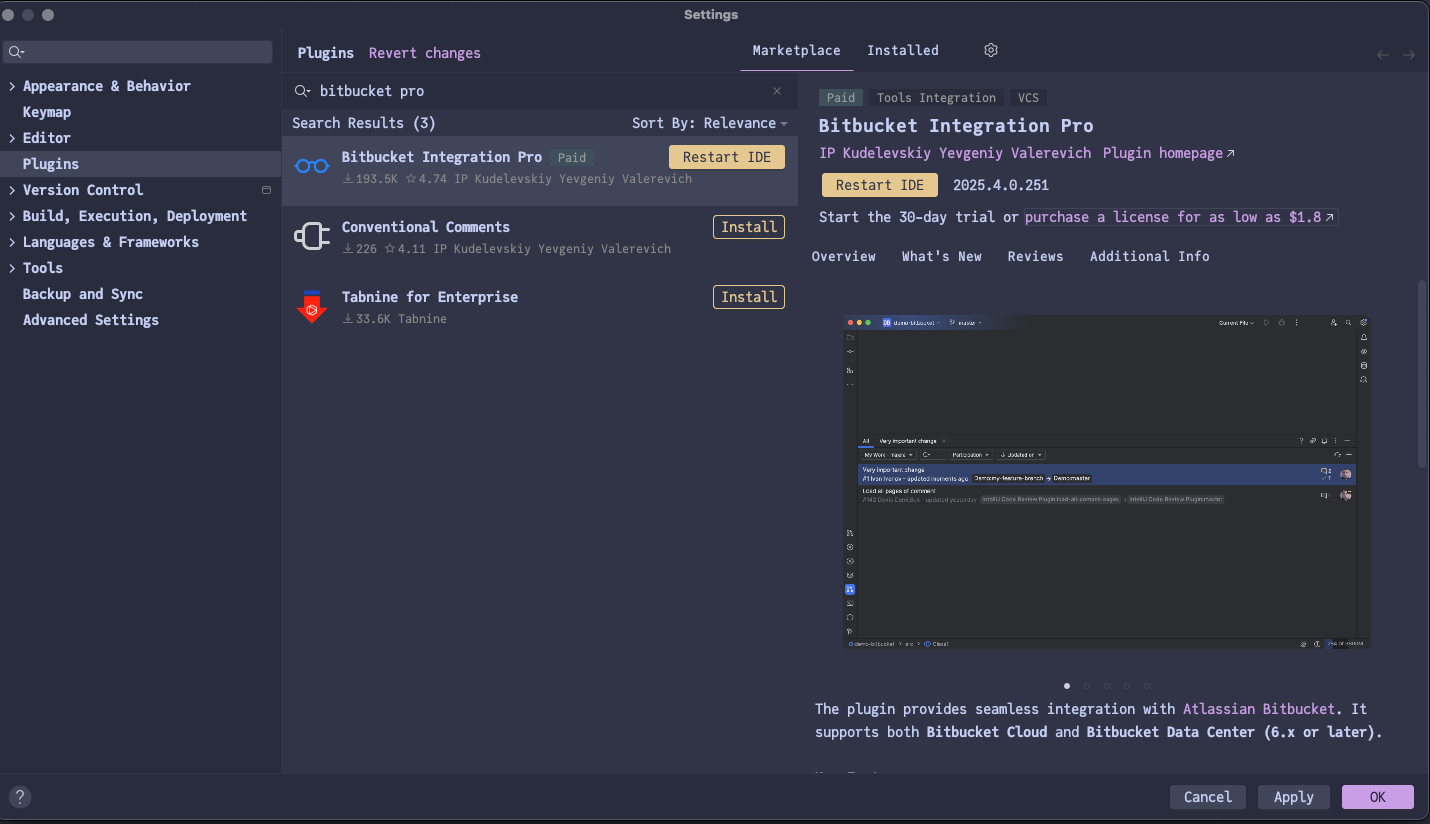
Go to the IDE settings and choose "Plugins" item in the list
-
Click "Marketplace" button on the top
-
Type "bitbucket integration"
-
Choose the "Bitbucket Integration" plugin and click "Install". If it’s not shown, try to update the IDE to the latest version.
-
Restart the IDE
Configuration
-
In the window that appears click on "Bitbucket Pull Requests" and choose the free trial option
-
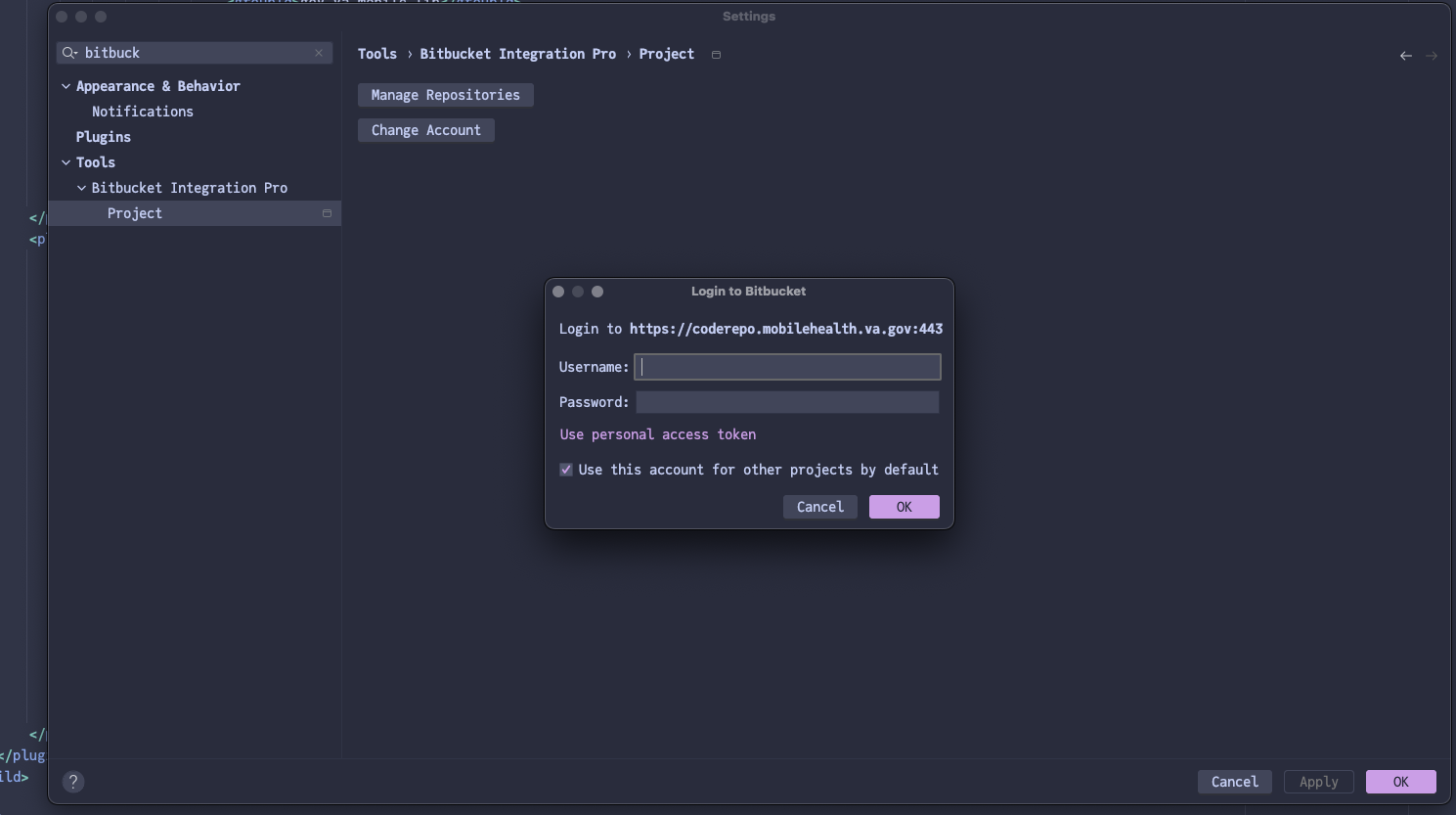
Open up the IDE settings and under Tools > Bitbucket Integration Pro > Project set up your account
-
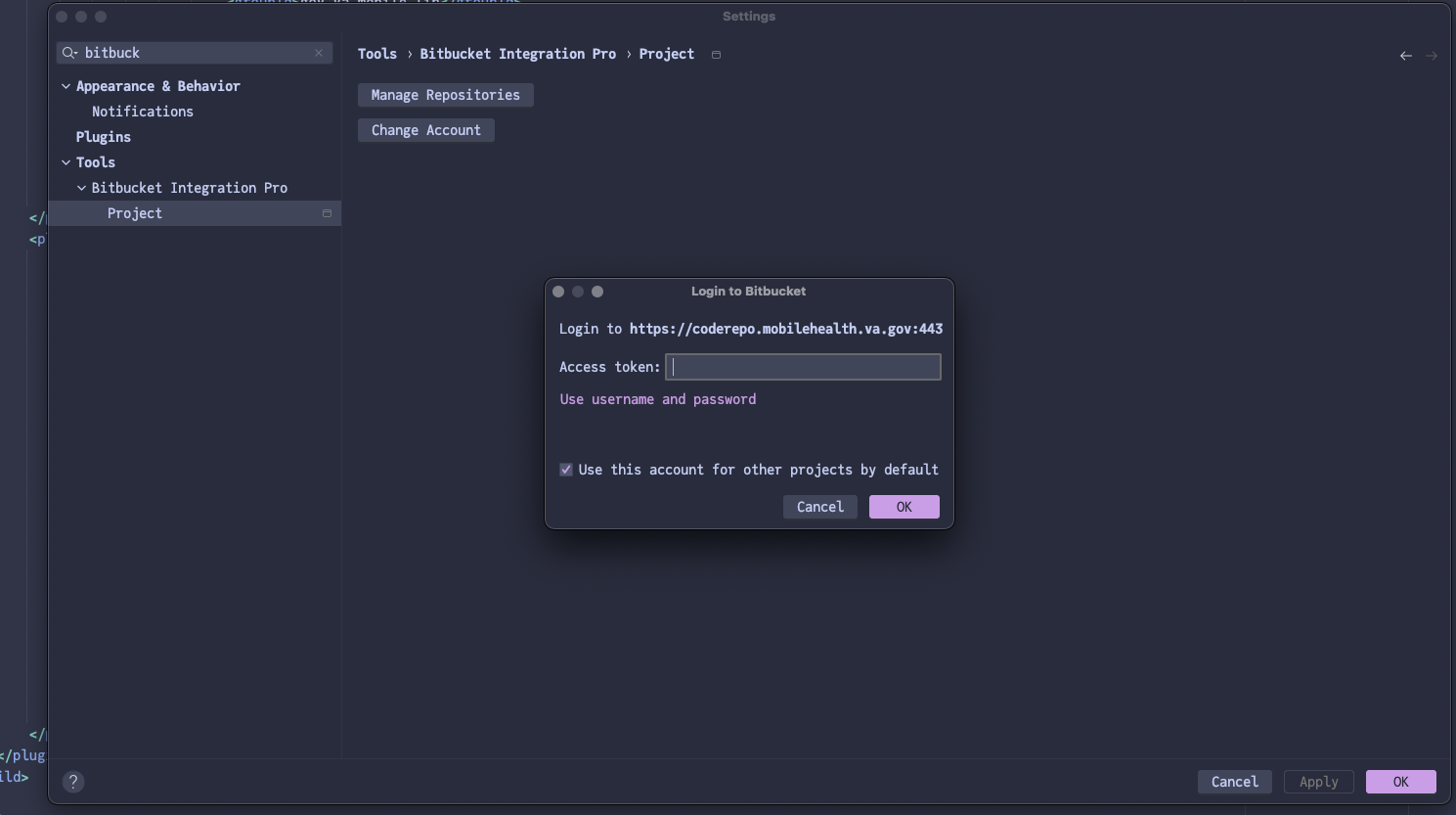
Switch to access token and enter in your token
Usage
See: Bitbucket Integration Pro Usage Video for basic usage of the plugin.